
Meteor Pay User Safety – Official Customer Support & Problem Fixing Guide
This is the official Meteor Pay user safety page. Here you will learn how to fix Meteor Pay login, OTP, payment and app problems, how to contact the official Meteor Pay customer support, how to stay safe from fake websites and scams, and why you should never share your OTP, password or UPI PIN with anyone.
First Published: July 2026 | Last Updated: 04 August 2026
How to Fix Meteor Pay Problems – Official Step-by-Step Guide 2026
Facing a Meteor Pay problem? Most issues – login failures, OTP not coming, app crashing, or payments stuck – are fixed in minutes by clearing the app cache, updating to the latest version from the official website meteorpay.in, restarting your phone, and checking your internet or VPN settings. If the problem still continues, contact the official Meteor Pay customer support on Telegram – and never share your OTP, password or UPI PIN with anyone.
Follow this quick checklist before trying anything else:
- Update the app: Always install the latest Meteor Pay APK from meteorpay.in – old versions cause most login and crash problems
- Clear cache: Settings > Apps > Meteor Pay > Storage > Clear Cache
- Restart your phone: A simple restart fixes OTP delivery and network issues
- Check internet and VPN: Turn off any VPN and switch between Wi-Fi and mobile data
- Check storage: Keep at least 50MB free space for the app to run smoothly
- Still stuck? Message the official support on Telegram – we reply fast
Meteor Pay Problem Fixes – Login, OTP, Payment & App Issues
Meteor Pay Login Problem – How to Fix
If your Meteor Pay login fails, first check that you are entering the same +91 mobile number you registered with. Clear the app cache, restart your phone, and try again. If you forgot your password, use the reset option inside the app. Still failing? Uninstall the app and install the latest version from meteorpay.in only – never from third-party APK sites.
Meteor Pay OTP Not Coming – How to Fix
OTP issues are usually network related. Check your signal, disable any VPN, restart your phone and request the OTP again. If you still do not receive it, clear the app cache and wait 2 minutes before retrying. Never ask anyone to forward your OTP, and never share it with anyone – even if they claim to be customer support.
Meteor Pay App Not Installing or Crashing – How to Fix
Make sure "Install unknown apps" is allowed for your browser, free up at least 50MB of storage, and download the APK again from meteorpay.in. After installation, check that the app icon and developer name read "Meteor Pay" – that confirms it is the genuine app. If the app crashes, reinstall the latest version.
Meteor Pay Payment Pending or Withdrawal Stuck – How to Fix
First confirm the payment actually left your bank account. If a trade is pending, message the other party inside the app and use the in-app appeal system to raise a dispute. For withdrawal issues, confirm your UPI ID is correct and check that you have met the minimum withdrawal amount. For anything unusual, contact official support on Telegram.
Meteor Pay Slow Loading or Frozen – How to Fix
Clear the app cache, close background apps, and free up storage space. If the app still freezes, reinstall the latest version from the official website. A slow app is almost always a storage or network issue – not a problem with your account.
Meteor Pay Official Customer Support – Real & Verified Contact Method
Meteor Pay is a real platform, and this is its official customer support page – not an affiliate website and not a promoted website. If you face any issue with Meteor Pay login, registration, trading or withdrawals, message us on the official Telegram channel. That is the fastest and the only verified support channel outside the app.
- Official Telegram support: t.me/RupeeRushGL666666 – message here for any problem
- In-app live chat: Available 24/7 inside the Meteor Pay app for disputes and trading help
- No public phone number: Meteor Pay deliberately has no customer care number – it is an anti-scam measure. Any "Meteor Pay customer care number" you see online is fake
- Official website: Only meteorpay.in – never trust clone domains
Never Share Your OTP, Password or UPI PIN – #1 Scam Warning
This is the most important rule on Meteor Pay: nobody – not support, not a trader, not a friend – should ever ask for your OTP, password or UPI PIN. Scammers use fake calls, fake Telegram groups and fake websites to steal these details. Once shared, your account and money can be lost in seconds.
- Meteor Pay support never asks for your OTP, password or UPI PIN – ever
- No genuine buyer or seller needs your OTP – they only need the UPI ID shown inside the app
- No "customer care number" call is real – Meteor Pay never calls to ask for details
- If someone pressures you to share a code or PIN, block them and report on the official Telegram channel
- If you already shared your OTP by mistake, change your password immediately and message official support
How to Identify Fake Meteor Pay Websites & Fake Apps
Fake websites and clone APKs exist, and they exist only to steal your details. The only official Meteor Pay website is meteorpay.in. Check the domain carefully – clone sites often use spellings like mete0rpay, metorpay or meteor-pay.
- Check the domain: The address must be exactly meteorpay.in – nothing else
- Check the app icon: The genuine app icon reads "Meteor Pay" with the official purple theme
- Check the developer name: After install, Settings > Apps > Meteor Pay must show the official developer
- Never download from third-party APK sites: Only download from meteorpay.in
- Fake Telegram groups exist too: The only official channel is t.me/RupeeRushGL666666
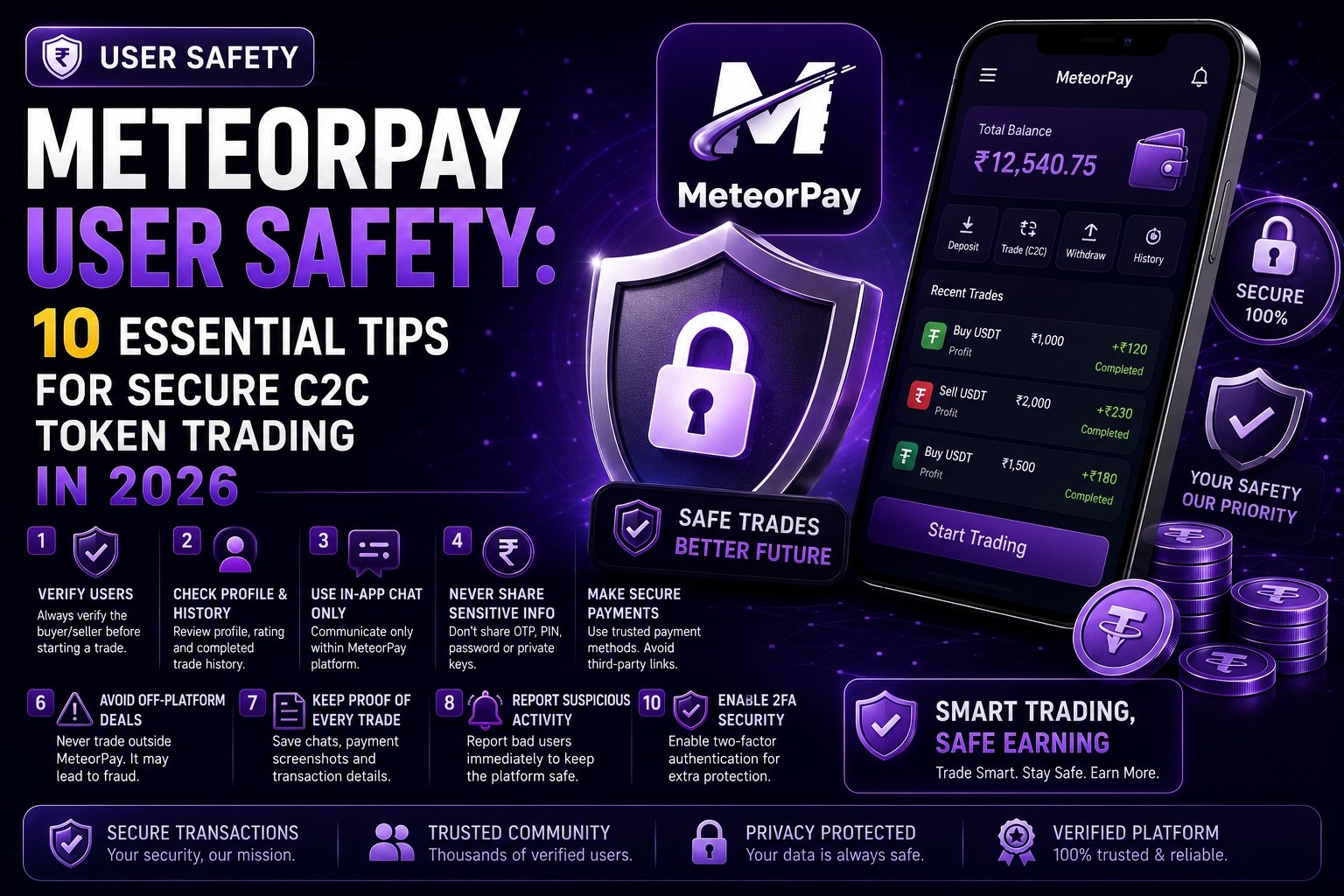
Meteor Pay Account Safety – 10 Rules Every User Must Follow
- Use a strong, unique password: Never reuse your bank or email password on Meteor Pay
- Change your password every few months: Regular changes keep your account secure
- Never share your OTP or password: Not with anyone, not for any reason
- Download only from meteorpay.in: Fake apps with similar names exist
- Log out on shared devices: If you used a friend's phone, log out when you finish
- Keep the app updated: Latest versions include security fixes
- Do not save passwords on public phones: Public or borrowed devices are risky
- Ignore "earn fast" calls and messages: Genuine offers never come through calls
- Verify every payment yourself: Never release tokens until you see the money in your UPI app
- Report anything suspicious: Message the official Telegram support immediately
C2C Trading Safety – How to Stay Safe While Buying & Selling
Meteor Pay works on a customer-to-customer model – payments move directly between users through UPI, and the platform never holds your money. That makes your own habits the most important safety layer.
- Pay only the UPI ID shown inside the app: Never pay an ID shared over Telegram or WhatsApp
- Never release tokens until payment is confirmed: Check your own UPI app first – no exceptions
- Never trade outside the platform: Any "direct deal" is a scam waiting to happen
- Use the in-app appeal system: If a trade goes wrong, raise a dispute inside the app
- Keep chat inside the app: Do not continue deals on private numbers
What to Do If You Are Scammed or Facing Fraud on Meteor Pay
Act fast – the first 30 minutes matter the most:
- Change your Meteor Pay password immediately
- Raise an in-app appeal: Open the disputed trade and file a complaint
- Message official support on Telegram: t.me/RupeeRushGL666666 – share the trade details
- Do not pay anyone again: Scammers often ask for a "refund fee" – never pay it
- Do not share your OTP to "reverse" the payment: That is another trap
Meteor Pay Telegram Updates – Join the Official Channel
Join the official Meteor Pay Telegram channel to get new Meteor Pay updates, app version alerts, security warnings and trading tips directly from the team. This is also where you message official support for any issue.
- Official channel: t.me/RupeeRushGL666666
- Get notified about every new app version before anyone else
- Receive official scam alerts and safety announcements
- Ask questions and get verified answers from the team
Official Meteor Pay Links – Download, Login & Register
Use only the official links below. The Meteor Pay download, Meteor Pay login and Meteor Pay register pages all live on the official website meteorpay.in.
- Meteor Pay Official Home – Download APK, Login & Register
- About Meteor Pay Official
- Contact Meteor Pay Official
- Meteor Pay Disclaimer
- Meteor Pay Terms of Service
- Meteor Pay Privacy Policy
- Meteor Pay Blogs – Trading & Installation Guides
- Official Meteor Pay Telegram Channel
Frequently Asked Questions – Meteor Pay User Safety 2026
01 How to fix Meteor Pay login problems?
Clear the app cache, restart your phone, and update the app from meteorpay.in. If you forgot your password, use the reset option in the app. If login still fails, message official support on Telegram.
02 Meteor Pay OTP not coming – how to fix?
Check your network signal, disable any VPN, restart your phone and clear the app cache. Wait 2 minutes and request the OTP again. Never share your OTP with anyone, even if they claim to be customer support.
03 How do I contact Meteor Pay official customer support?
Message the official Telegram channel at t.me/RupeeRushGL666666 or use the in-app live chat, which runs 24/7. Meteor Pay has no public phone number – any "customer care number" online is fake.
04 Is meteorpay.in the official Meteor Pay website?
Yes. meteorpay.in is the only official Meteor Pay website for app download, login and registration. Fake clone websites exist – always check the domain.
05 Does Meteor Pay customer support ever ask for my OTP or password?
Never. Official Meteor Pay support will never ask for your OTP, password, UPI PIN or bank details. Anyone who asks is a fraudster – report them on the official Telegram channel.
06 Is Meteor Pay safe to use?
Yes, when you download only from meteorpay.in and follow the safety rules. The C2C model means the platform never holds your funds – payments move directly between users via UPI.
07 What should I do if someone asks for my Meteor Pay OTP?
Never share it. Change your password immediately, block the person, and report the attempt on the official Telegram channel at t.me/RupeeRushGL666666.
08 How do I join the official Meteor Pay Telegram channel?
Open t.me/RupeeRushGL666666 on your phone and tap Join. The channel gives you new Meteor Pay updates, app version alerts and official scam warnings.
09 What should I do if a trade goes wrong on Meteor Pay?
Never release tokens until you see the payment in your UPI app. If a trade goes wrong, raise an in-app appeal immediately and message official support on Telegram with the trade details.
10 How do I identify fake Meteor Pay websites and apps?
Check that the domain is exactly meteorpay.in, verify the app icon and developer name read "Meteor Pay", and never install APKs from third-party sites. The only official source is meteorpay.in.
11 Is there a Meteor Pay customer care number?
No. Meteor Pay has no public customer care number – this is an anti-scam measure. Support is available through the in-app live chat and the official Telegram channel only.
12 What should I do if I already shared my OTP with someone?
Act immediately. Change your Meteor Pay password right away, do not share any more details, and message official support on Telegram to secure your account.